
Honeywell T6R Smart Thermostat Review 2026: Is It Any Good?
Quick Answer: The Honeywell T6R is a reliable, user-friendly wireless smart thermostat with geofencing, 7-day scheduling, voice control, an indoor humidity sensor, and remote control via the Honeywell Home app. It costs approximately £175 to £200 and is compatible with most UK boilers. Key strengths are its simple setup, clean touchscreen display, and multi-device compatibility including Alexa, Google Home, and Apple HomeKit. The main limitation is that full functionality requires the Honeywell Home app, and the T6R is incompatible with 5GHz WiFi routers — requiring a 2.4GHz connection. It is a strong choice for homeowners wanting straightforward smart heating control without the complexity of tado°’s multi-zone approach or the premium pricing of other brands.
Honeywell is the UK’s most established thermostat manufacturer with decades of product history in both commercial and domestic heating control. The T6R is their wireless smart thermostat — a step up from conventional programmers that adds remote app control, geofencing, scheduling, and voice assistant integration to the familiar concept of a wall-mounted room thermostat. This review covers everything a homeowner needs to know to decide whether the T6R is the right smart thermostat for their property and heating system.
What is the Honeywell T6R Smart Thermostat?
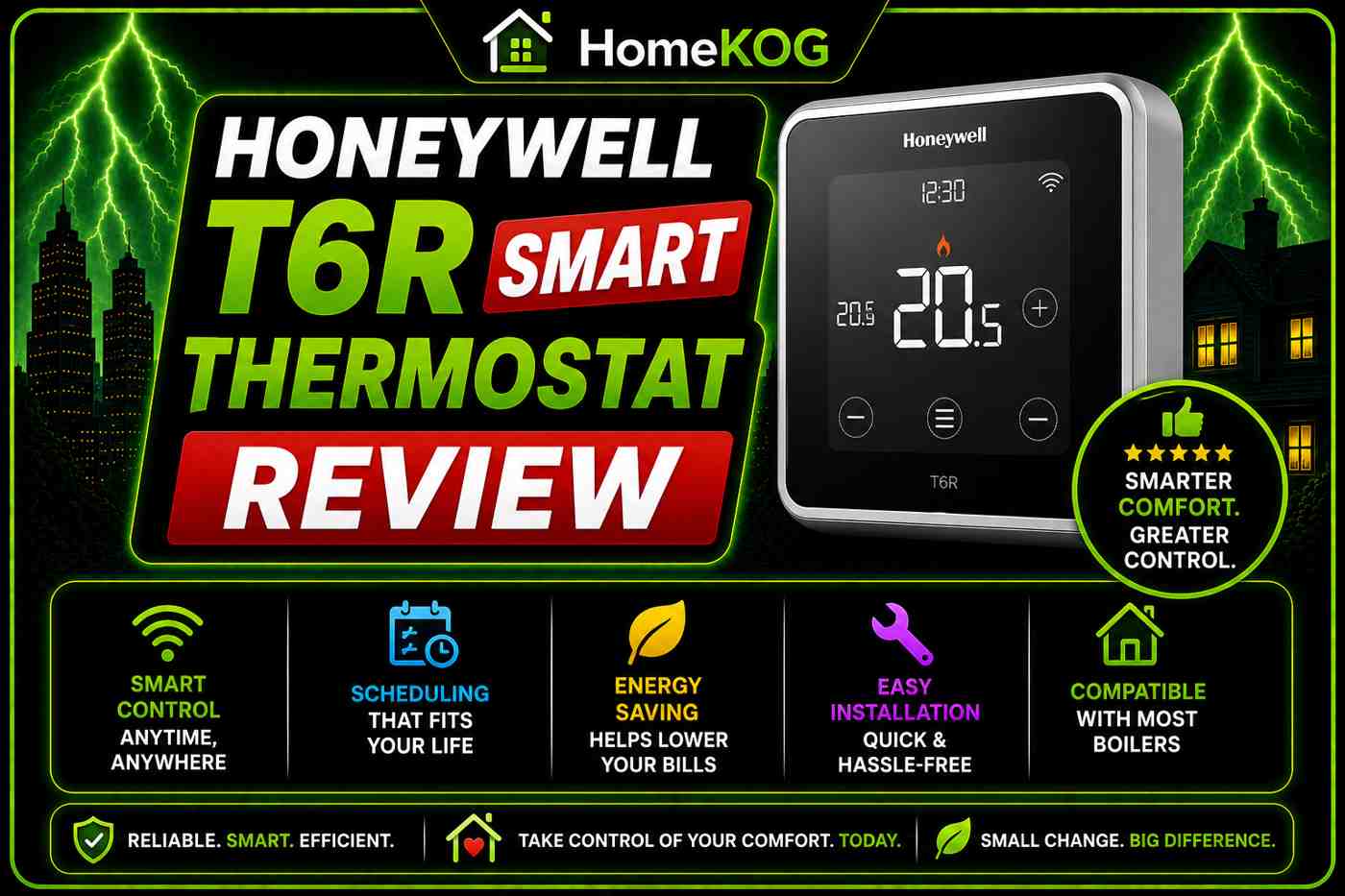
The Honeywell Home T6R is a wireless room thermostat that replaces a conventional wired thermostat and provides smart control over the home’s central heating and, in supported configurations, hot water. It connects to the home’s WiFi network through a separately wired relay box located near the boiler, with the thermostat itself communicating wirelessly to the relay box rather than requiring a direct wiring connection from thermostat to boiler.
This wireless design gives the T6R significant flexibility in placement — it does not need to be sited where the previous thermostat was wired. It can be placed on the wall with the included mount, used freestanding with the included desk stand on any surface, or repositioned as needed without rewiring. For homeowners replacing an older wired thermostat, this flexibility is a practical advantage during setup.
The T6R is compatible with most UK gas, oil, and LPG boilers and connects to the Honeywell Home app on Android and iOS devices for remote control, scheduling, and system monitoring.

How Does the Honeywell T6R Work?
After installation, the T6R connects to the home’s 2.4GHz WiFi network — not 5GHz, which is an important compatibility check before purchase. Once connected, the Honeywell Home app provides a step-by-step configuration process that sets up the thermostat’s operating mode, schedule, and geofencing preferences.
The thermostat measures room temperature and humidity continuously and communicates heating demand signals to the boiler via the relay box. When the measured room temperature falls below the set target, the thermostat sends a call-for-heat signal and the boiler fires. When the target temperature is reached, the signal is cut and the boiler shuts down.
The Smart Response system refines this basic operation — it calculates the time required to reach the target temperature from the current temperature and pre-fires the boiler to arrive at the set temperature precisely at the programmed time, rather than firing at the programmed time and reaching target temperature some time after. This optimum start approach saves gas by eliminating unnecessary pre-heating while ensuring the home reaches the target temperature exactly when needed. For homeowners looking to upgrade their heating system, exploring affordable boiler financing options can make the transition smoother and more manageable. This financial flexibility allows for the installation of advanced systems that enhance efficiency and save on energy costs in the long run. Ultimately, choosing the right financing plan not only supports immediate comfort but also promotes long-term sustainability.
Key Features of the Honeywell T6R
Geofencing
The T6R’s geofencing uses the GPS location of registered smartphones to detect when all household members have left the property and when the first member is returning. When the property is empty, the thermostat automatically switches to an energy-saving setback temperature rather than maintaining the full target temperature. When the first registered user is detected approaching home, the heating restarts automatically to reach the target temperature by arrival.
The geofencing function is available within the standard Honeywell Home app without any subscription requirement — unlike tado°’s Auto-Assist subscription and Google Nest’s similar occupancy features. For households with variable daily routines where a fixed schedule would heat an empty home, geofencing can deliver meaningful energy savings beyond what schedule optimisation alone provides.
7-Day Scheduling
The scheduling interface allows different heating periods and target temperatures to be set for each of the seven days of the week independently. A household with different weekday and weekend routines can programme different schedules for both without compromise. Individual days can be overridden if plans change without affecting the rest of the week’s programme.
The scheduling is managed through both the thermostat’s touchscreen and the app — both interfaces allow creation and editing of the full weekly schedule. This dual-access approach means the thermostat can be programmed directly without a smartphone if preferred, unlike some competing smart thermostats that require app interaction for all scheduling.
Voice Control
The T6R supports Amazon Alexa, Google Home, and Apple HomeKit voice integration. Once linked through the respective platform’s setup process, voice commands can adjust the target temperature, switch heating on or off, and query the current temperature. Apple HomeKit integration extends to Apple Watch control through Siri. The multi-platform voice support means the T6R works with whatever smart home ecosystem the household uses without requiring a specific platform commitment.
Indoor Humidity Sensor
The T6R includes a humidity sensor that reports current indoor humidity through the Honeywell Home app alongside the temperature reading. Monitoring indoor humidity is relevant for air quality — too low and the air feels dry and uncomfortable; too high it promotes condensation and mould growth. Displaying humidity data allows homeowners to make informed ventilation decisions, though the T6R does not automatically adjust heating or ventilation based on humidity readings as some more advanced systems do.
0.5°C Temperature Adjustment Increments
Temperature adjustment in 0.5°C steps rather than the 1°C increments of some competing thermostats allows finer comfort calibration. For households that find the difference between 20°C and 21°C meaningful for comfort — which most people do — the ability to set 20.5°C provides a degree of precision that cruder adjustment scales cannot match.
Screen Lock
The T6R includes a screen lock function that prevents accidental or unauthorised changes to the temperature setting directly on the thermostat. This is particularly useful in households with children, in rental properties where tenants might adjust a landlord’s preferred settings, or in any situation where the programmed temperature should be protected from casual override.
Multi-Device Access
The Honeywell Home app can be installed and logged into on multiple devices, allowing all household members to view and adjust heating from their own smartphones. Unlike some systems that require one primary account holder to manage settings, the T6R’s multi-user access distributes control across the household without hierarchy.
Honeywell T6R App Review
The Honeywell Home app is available for both Android and iOS and provides the primary interface for setup, scheduling, remote control, and monitoring. The app is consistently well-reviewed for its clean layout and straightforward navigation. Setup follows a guided step-by-step process that takes most users through to a fully configured system in under 30 minutes.
The scheduling interface displays the weekly programme as a clear visual timeline, making it easy to see and edit heating periods across the week. Geofencing is activated through a simple toggle within the app with a brief explanation of how it works. Temperature adjustment, override, and schedule bypass are all accessible from the app’s home screen without navigating through menus.
The app is notably less complex than tado°’s equivalent — which provides extensive room-by-room data, air quality information, and weather integration — but this simplicity is a strength for homeowners who want reliable remote control without an elaborate interface to manage.
Honeywell T6R Pros and Cons
The T6R’s key strengths are its genuinely simple setup, clean and legible touchscreen, multi-device app access, geofencing without subscription, and broad voice assistant compatibility across all three major platforms. The flexibility of wireless placement — using the desk stand or wall mount anywhere in the home — is a practical advantage over wired alternatives.
The limitations are primarily compatibility-related. The T6R requires a 2.4GHz WiFi connection — incompatible with 5GHz-only routers, which are increasingly common in newer router hardware. The T6R also provides single-zone control — one temperature setting for the whole property rather than room-by-room control. Homeowners wanting individual room temperature management need to add tado° smart radiator valves or an equivalent multi-zone system rather than the T6R alone. Finally, the full feature set is dependent on the Honeywell Home app — homeowners without smartphones or those uncomfortable with app-based control will find only the scheduled and manual functions available directly on the thermostat.
How Much Does the Honeywell T6R Cost?
The recommended retail price is £199.99, with the unit typically available through online retailers including Amazon at approximately £175. Professional installation adds £70 to £80 if an engineer is needed to wire the relay box, though the relay box wiring is a straightforward electrical connection that most homeowners can complete themselves following the provided instructions.
| Item | Cost |
|---|---|
| Honeywell T6R unit | £175–£200 |
| Professional installation | £70–£80 |
| Total installed | £245–£280 |
| Annual subscription | None required |
The absence of a subscription requirement is a meaningful advantage over tado°, which requires the Auto-Assist subscription (£24.99 per year) to access automated geofencing and open window detection. All of the T6R’s features are available without any ongoing subscription cost beyond the initial purchase.
Installation and Setup
The T6R installation involves two stages. The relay box — which contains the electrical connections to the boiler — is wired near the boiler following the included wiring diagram. This connection is typically straightforward for anyone comfortable with basic electrical work and does not require Gas Safe registration as it involves only low-voltage control wiring rather than gas components. Where there is any doubt, a Gas Safe engineer can handle this during a boiler installation or service visit.
With the relay box wired and powered, the T6R thermostat is paired to it through the touchscreen setup process. The thermostat can then be placed anywhere in the home — wall-mounted with the included bracket or placed on a surface with the desk stand — within wireless range of the relay box. App installation and configuration complete the setup.
Honeywell recommends placing the thermostat in the most frequently occupied room — typically the living room — at approximately 1.5 metres above floor level, away from draughts, direct sunlight, and heat sources that could affect the temperature reading.
How Does the T6R Compare to Other Smart Thermostats?
Against the Google Nest Learning Thermostat, the T6R is simpler and less expensive but lacks the self-learning capability that automatically builds a heating schedule based on observed household patterns. The Nest requires no manual schedule programming — the T6R does. The Nest’s self-learning makes it more suitable for households with highly variable routines; the T6R is better for households that maintain consistent patterns and want direct schedule control.
Against tado°, the T6R is simpler, has no subscription requirement, and provides geofencing as a standard included feature. tado° provides superior room-by-room control through its smart radiator valve system and weather compensation, but at considerably higher total cost for a whole-home installation. The T6R is the stronger choice for single-zone heating control with simple remote access. tado° is the stronger choice for granular room-by-room management. When considering tado smart thermostat price details, it’s important to weigh the benefits against the cost. While tado° offers advanced functionalities, potential users should assess whether these features align with their specific heating needs and budget. In many cases, the investment in tado° can be justified by the enhanced energy efficiency and comfort it brings to the home.
Against Hive, the T6R is comparable in price and feature set, with neither having a clear overall advantage. Hive’s battery-powered thermostat (rather than mains-powered) provides resilience during power cuts. The Hive app is arguably slightly simpler. The T6R’s humidity sensor adds a feature Hive does not provide. For households with British Gas as their energy supplier, Hive’s British Gas pricing provides a cost advantage at installation.
FAQ
Is the Honeywell T6R worth buying?
Yes for homeowners wanting reliable, simple smart heating control with remote access, geofencing, and voice control without the complexity of multi-zone systems or the ongoing cost of a subscription. The T6R delivers its core functions — remote control, scheduling, and geofencing — straightforwardly and reliably at a competitive price with no annual subscription required.
Does the Honeywell T6R work without WiFi?
Yes. The T6R operates from the thermostat’s own touchscreen without a WiFi connection or smartphone — the schedule programmed into the thermostat runs independently of the app. WiFi connectivity enables remote access and geofencing but is not required for the thermostat to function as a programmable room controller.
What WiFi frequency does the Honeywell T6R require?
The T6R requires a 2.4GHz WiFi connection. It is incompatible with 5GHz WiFi routers. Most home routers broadcast on both 2.4GHz and 5GHz frequencies simultaneously — if the router is a dual-band model, the T6R will connect to the 2.4GHz band. A router broadcasting exclusively on 5GHz will not be compatible.
Does the Honeywell T6R require a subscription?
No. All features including geofencing are available without any subscription or ongoing payment beyond the initial purchase price. This distinguishes it from tado°, which requires the Auto-Assist subscription for automated geofencing.
Can the Honeywell T6R control hot water as well as heating?
Yes, in compatible installations. The T6R supports both heating and hot water control through the relay box, allowing separate scheduling of heating and hot water — relevant for system and regular boiler installations with a hot water cylinder. Combi boiler installations heat water on demand and do not require separate hot water scheduling.
Conclusion
The Honeywell T6R is a well-executed smart thermostat that prioritises simplicity and reliability over feature complexity. Its clean touchscreen, multi-device app access, geofencing without subscription, and compatibility with all three major voice platforms make it one of the most practically useful single-zone smart thermostats available at its price point. The absence of a subscription requirement is a genuine financial advantage over its closest competitors.
The T6R is not the right choice for homeowners wanting room-by-room temperature control — that requires smart radiator thermostats such as tado°’s SRT system or Honeywell’s own Evohome range. Nor is it ideal for homeowners wanting a self-learning thermostat that adapts automatically to their patterns — the Google Nest is the stronger choice in that specific scenario.
For the majority of UK homeowners wanting to upgrade from a conventional programmer to smart heating control — with geofencing, scheduling, remote access, and voice control — the Honeywell T6R delivers everything required at a competitive price with a straightforward setup experience and no ongoing costs. When considering the best heat pump manufacturers in the UK, it is important to look for efficiency ratings and long-term reliability. Many leading brands offer innovative features that align with the latest energy-saving regulations. Homeowners may find it beneficial to explore various options to ensure they choose a solution that meets their specific heating needs.