
EPH Combipack 4i CP4i Smart Thermostat: Full Review, Setup & Programming Guide 2026
Quick Answer: The EPH CP4i is an OpenTherm-compatible smart thermostat that controls your heating via the EMBER app, Amazon Alexa, or Google Assistant. It comes pre-paired with its gateway and receiver for simple installation, supports up to six heating zones, and can programme temperatures up to six times per day. Smart thermostats like the CP4i can save the average household around £120 per year on energy bills.
Finding the right smart thermostat can be the difference between a heating system that runs on your schedule and one that runs unnecessarily. The EPH Combipack 4i sits in the mid-range of the smart thermostat market, offering genuine OpenTherm compatibility, multi-zone control, and voice assistant integration at a competitive price point.
This guide covers everything you need to know about the EPH CP4i in 2026 — how it works, how to connect it to Alexa, how to programme it, and whether it is the right choice for your home.
Get a new boiler quote online here >
Key Facts: EPH CP4i Smart Thermostat Relationships
- The EPH CP4i is an OpenTherm-compliant digital RF smart thermostat produced by EPH Controls, a specialist manufacturer of boiler controls, and is designed to work with the EMBER app for remote heating management.
- OpenTherm is a communication protocol that allows a smart thermostat to interact directly with a compatible boiler’s control system, enabling modulating control of the boiler’s output rather than simple on/off switching.
- The EMBER app is EPH’s dedicated smartphone application through which the CP4i thermostat can be controlled remotely from any location with an internet connection.
- The GW03 Gateway is the wireless bridge device included with the CP4i that connects the thermostat system to the homeowner’s broadband router and enables internet-based remote control.
- The RFRP-OT Thermostat is the main room thermostat unit in the CP4i system, which communicates wirelessly with the RF1A-OT Receiver using radio frequencies.
- The RF1A-OT Receiver is the component wired to the boiler that receives wireless signals from the thermostat and controls the boiler’s operation accordingly.
- Radio frequency (RF) communication is the wireless technology used by the CP4i system to transmit signals between the thermostat and receiver without requiring a wired connection between the two.
- Multi-zone control is a feature of the CP4i that allows additional CP4 thermostats to be added to the system, enabling independent temperature management in up to six separate areas of the home.
- Frost protection is a built-in safety feature of the CP4i that automatically activates the boiler when the room temperature drops to 5°C, preventing pipes from freezing.
- Amazon Alexa integration allows voice commands to be used to control the CP4i’s temperature settings, scheduling, and zone management through the EMBER Smart Thermostat skill.
- A smart thermostat is a Wi-Fi or RF connected thermostat that can learn usage patterns, respond to occupancy, and be controlled remotely, and is estimated to save the average UK household around £120 per year compared to a conventional programmed thermostat.
- Pre-paired RF connections are the factory-set wireless links between the CP4i thermostat, receiver, and gateway that allow the system to be installed and operational without manual pairing procedures.

What Is the EPH CP4i Smart Thermostat?
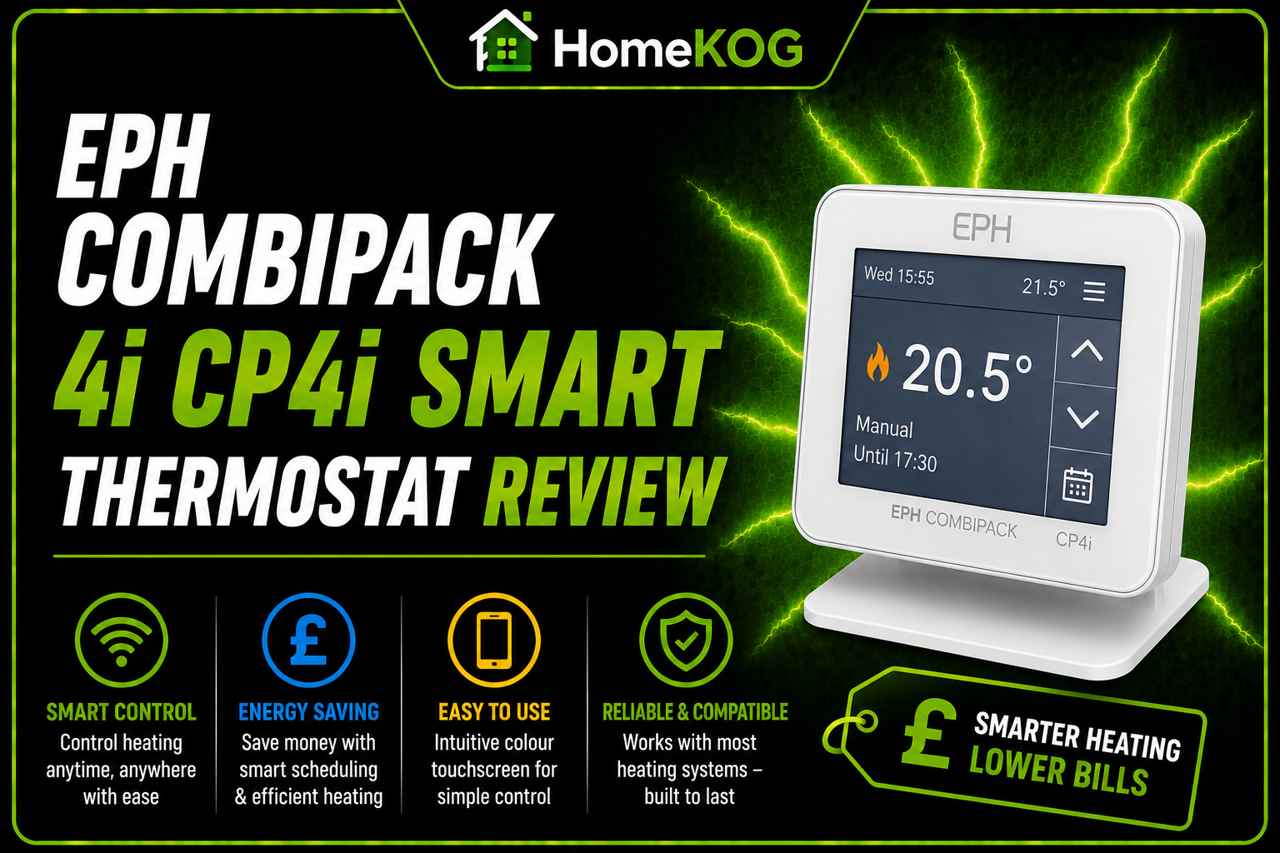
The EPH Combipack 4i is EPH Controls’ flagship smart thermostat, combining their established expertise in boiler controls with modern app connectivity and voice assistant integration. The system arrives pre-paired from the factory — the thermostat, receiver, and GW03 Gateway are already communicating with each other before installation begins, which significantly simplifies the setup process compared to smart thermostats that require manual pairing.
At its core, the CP4i is a digital RF programmable room thermostat and receiver. The thermostat unit sits in the room being controlled and measures temperature, while the receiver connects to the boiler and acts on the thermostat’s instructions. The GW03 Gateway bridges the system to the homeowner’s broadband router, enabling full remote control through the EMBER app from any device with an internet connection.
The CP4i’s OpenTherm compatibility is one of its most significant technical advantages. Rather than simply switching the boiler on and off, an OpenTherm connection allows the thermostat to communicate directly with a compatible boiler and adjust its output level — modulating the boiler’s heat production to match exactly what the home requires at any given moment. This reduces energy waste, extends boiler component life, and improves the accuracy of room temperature control compared to standard on/off thermostats.
What Is Included in the Box
The CP4i kit contains everything needed for a complete installation: the GW03 Gateway with power supply, the RFRP-OT Room Thermostat, the RF1A-OT Receiver, full instructions, and two AA batteries for the thermostat unit. The gateway connects to the broadband router via Wi-Fi, and no additional hardware is required to enable full app and voice control from day one.
What Is a Smart Thermostat and Why Upgrade?
A smart thermostat is a connected heating control that goes beyond the capabilities of a conventional programmer or manual thermostat. Where a standard thermostat simply switches the boiler on or off when a set temperature is crossed, a smart thermostat can learn the patterns of a household, respond to occupancy, adjust to weather conditions, and be controlled remotely from a smartphone from anywhere in the world.
The financial case for upgrading is well established. The average UK homeowner can expect to save around £120 per year by using a smart thermostat, primarily by reducing heating during periods when the home is unoccupied or when rooms are already at temperature. Over the lifetime of the thermostat, these savings comfortably offset the purchase price. Investing in the best heat pumps from UK brands can yield even greater long-term savings on energy bills. These systems not only enhance efficiency but also provide a more sustainable heating solution for homeowners. Embracing modern technology can lead to substantial reductions in overall energy consumption.
Smart thermostats also provide visibility of energy consumption that a manual thermostat cannot offer. Real-time data available through apps like EMBER allows homeowners to understand when and where their heating is being used most, making it easier to identify opportunities for further savings without compromising on comfort.
Key Features of the EPH CP4i
Remote Control via the EMBER App
The EMBER app allows full control of the CP4i from any smartphone or tablet with an internet connection. Whether at home, commuting, or abroad, the homeowner can adjust the current temperature, change the schedule, override programmed settings for a set number of hours, or switch the heating off entirely — all within seconds.
This is particularly useful for households with unpredictable schedules. If plans change and an early return home is expected, the heating can be turned on from the train. If a holiday runs longer than planned, the heating can be adjusted remotely rather than leaving it running on its normal schedule.
Amazon Alexa, Google and Voice Control
The CP4i supports voice control via Amazon Alexa and Google Assistant, providing hands-free management of the heating system through any compatible smart speaker or device. Once connected, a broad range of voice commands becomes available for immediate use.
Multi-Zone Control
By adding further CP4 thermostats to the system, up to six independent heating zones can be managed from the same EMBER app. Each zone can have its own schedule and temperature settings, allowing different parts of the home to be heated differently at different times of day. The CP4HWOT accessory thermostat extends this capability to hot water control as well, giving full management of both heating and hot water from a single platform.
Frost Protection
The CP4i includes built-in frost protection set at a fixed 5°C. When the thermostat is in the OFF position and the room temperature falls below this threshold, the boiler is automatically activated to prevent the temperature from dropping to a level where pipes could freeze. This is a particularly useful feature for holiday homes, rental properties, or any property that may be left unoccupied during cold weather.
Flexible Scheduling
The CP4i can be programmed with up to six different time and temperature slots per day across three programming modes — 7-day, 5/2, or 24-hour — giving a wide range of scheduling options to match any household’s routine.
How to Connect the EPH CP4i to Amazon Alexa
Before connecting to Alexa, ensure the EMBER app is installed on your smartphone and that the CP4i system — thermostat, receiver, and gateway — is fully set up and connected to the internet through the EMBER app.
Once the EMBER app setup is complete, follow these steps:
- Open the Amazon Alexa app on your smartphone or tablet.
- Navigate to the Skills section and search for the EMBER Smart Thermostat skill.
- Select the skill and tap the Enable button.
- When the authentication page appears, enter the username and password used for your EMBER app account.
- Once authentication is complete, select Discover Devices in the Alexa app, or say “Alexa, discover devices” to your Alexa device.
- After the discovery process completes, your EMBER device will appear in the Alexa app under the Devices section.
Once connected, you can use the following voice commands to control the CP4i through Alexa:
- “Alexa, turn on the [room name].”
- “Alexa, turn off the [room name].”
- “Alexa, set the [room name] to auto.”
- “Alexa, set the [room name] to 21 degrees.”
- “Alexa, set the [room name] to 21 degrees for 2 hours.”
- “Alexa, what is the temperature of the [room name]?”
Replace [room name] with the name you assigned to each zone during the EMBER app setup.
How to Programme the EPH CP4i Smart Thermostat
The CP4i operates in AUTO mode by following the programmed schedule of time and temperature slots. Each day can be divided into up to six programming periods, each with its own target temperature and start time. The thermostat activates the boiler when the room temperature falls below the programmed target and holds it there until the next period begins.
Programming Modes
The CP4i offers three programming modes, selectable during initial setup:
7-Day mode allows each day of the week to be programmed individually with its own schedule of up to six time and temperature periods. This is the most flexible option and is well suited to households with varying routines across different days.
5/2 mode divides the week into two blocks — Monday to Friday and Saturday to Sunday — each with its own six-slot schedule. This is the most practical option for households with consistent weekday and weekend heating patterns.
24-hour mode applies the same schedule of up to six time and temperature periods to every day of the week. This is the simplest programming option and is suited to households with consistent daily routines throughout the week.
Setting a Programming Period
In AUTO mode, each programming period is defined by a start time and a target temperature. To programme a period where heating is not needed, simply set the target temperature to a low value — the thermostat will not activate the boiler if the room temperature is already above this level.
As a practical example: setting Period 1 to 21°C at 06:00 and Period 2 to 10°C at 08:00 instructs the thermostat to maintain 21°C between six and eight in the morning, then allow the temperature to drop to 10°C for the rest of the morning until the next active period begins.
Installation: What You Need to Know
The CP4i is designed for installation by a qualified electrician or Gas Safe registered heating engineer. The thermostat unit itself is battery-powered and mounts to the wall at a height of no more than 1.5 metres from the floor, or can be used free-standing on the included stand.
The location of the thermostat matters for accurate temperature reading. It should be positioned in the room being controlled, away from direct sunlight, radiators, draughts, and any other heat sources that could cause the thermostat to read an inaccurate room temperature.
The receiver unit connects to the boiler and must be installed by a competent heating engineer, particularly where OpenTherm wiring to the boiler is involved. The GW03 Gateway connects to the broadband router via Wi-Fi and can be placed anywhere within range of the router signal.
Is the EPH CP4i Worth Buying in 2026?
For households with a compatible OpenTherm boiler that want genuine remote control, voice assistant integration, and multi-zone capability without paying the premium associated with brands like Nest or Hive, the CP4i represents strong value. The pre-paired factory setup removes the most common source of frustration with smart thermostat installation, and the EMBER app is straightforward and reliable for day-to-day use.
The multi-zone capability — expandable to six zones — is a standout feature that many competing thermostats at this price point do not offer, making the CP4i particularly well suited to larger homes or properties where independent zone control is a priority.
For smaller homes or households that simply want a reliable scheduled thermostat with basic app control, a simpler and less expensive model may be sufficient. The CP4i delivers most value when its OpenTherm modulation, multi-zone capability, and remote access features are all being actively used. Tado Smart Thermostat features overview highlight various functionalities that can enhance the comfort and efficiency of any home. These include geofencing technology, which adjusts the temperature based on the users’ location, and integration with smart home systems for added convenience. Such features make it a strong contender for those looking to upgrade their heating solutions while still maintaining usability and control through an intuitive app interface.
Frequently Asked Questions
What is the EPH CP4i smart thermostat?
The EPH CP4i is an OpenTherm-compatible smart thermostat produced by EPH Controls that allows homeowners to manage their heating through the EMBER app, Amazon Alexa, or Google Assistant. The system includes a room thermostat, a boiler receiver, and a Wi-Fi gateway that connects to the home’s broadband router. All three components are pre-paired at the factory, making installation straightforward. The CP4i supports up to six independent heating zones and can be programmed with up to six time and temperature periods per day.
What is OpenTherm and why does it matter?
OpenTherm is a communication protocol that allows a compatible thermostat to modulate a boiler’s output rather than simply switching it on or off. Instead of the boiler firing at full power until the target temperature is reached and then switching off completely, an OpenTherm-connected system can instruct the boiler to run at a lower output that precisely matches the home’s current heating requirement. This reduces energy waste, lowers running costs, and reduces thermal stress on boiler components over time. Not all boilers are OpenTherm compatible — a Gas Safe engineer can confirm whether your boiler supports this feature. For homeowners considering energy efficiency upgrades, exploring boiler finance options for homeowners can be a practical step. These options can help spread the cost of installing advanced systems like OpenTherm-compatible boilers. By investing in such technology, homeowners can achieve both comfort and savings in their heating bills.
How do I connect the EPH CP4i to Alexa?
First, complete the EMBER app setup to ensure the CP4i is connected to the internet. Then open the Amazon Alexa app, navigate to Skills, and search for the EMBER Smart Thermostat skill. Enable the skill and enter your EMBER app login credentials when prompted. Once authenticated, select Discover Devices in the Alexa app or say “Alexa, discover devices.” Your EMBER device will then appear in the Alexa app and can be controlled using voice commands such as “Alexa, set the living room to 21 degrees.”
How many zones can the EPH CP4i control?
The CP4i can control up to six independent heating zones by adding additional CP4 thermostats to the system. Each zone is managed independently through the EMBER app with its own schedule and temperature settings. The CP4HWOT accessory thermostat extends control to include hot water management, giving complete oversight of both heating and hot water from the same platform.
How do I programme the EPH CP4i?
The CP4i can be programmed in three modes: 7-day mode for individual daily schedules, 5/2 mode for separate weekday and weekend schedules, and 24-hour mode for the same schedule across all seven days. Each mode supports up to six time and temperature periods per day. In AUTO mode, the thermostat monitors room temperature continuously and activates the boiler whenever the temperature falls below the programmed target for the current period. The EMBER app provides a convenient interface for adjusting the schedule remotely without accessing the thermostat directly.
What frost protection does the EPH CP4i have?
The CP4i includes built-in frost protection set at a fixed temperature of 5°C. When the thermostat is in the OFF position and the room temperature drops to or below 5°C, the boiler is automatically activated to prevent the temperature from falling to a level where pipes could freeze. This threshold cannot be adjusted by the user and activates automatically without any manual intervention, making it a reliable safeguard for periods when the property is unoccupied during cold weather.
Can the EPH CP4i be installed by a DIYer?
The thermostat unit itself — which is battery-powered and mounts to the wall or sits on its stand — can be set up without specialist tools. However, the receiver unit must be connected to the boiler’s wiring, which should be carried out by a qualified electrician or Gas Safe registered heating engineer, particularly where OpenTherm wiring is involved. Incorrect wiring of the receiver can damage the boiler’s control system and may invalidate the boiler warranty. The GW03 Gateway can be set up by the homeowner through the EMBER app without professional involvement.
How much can I save with the EPH CP4i smart thermostat?
The average UK homeowner can expect to save around £120 per year by switching from a conventional thermostat to a smart thermostat. The exact saving depends on the property’s current heating habits, how actively the smart features are used, and the efficiency of the boiler it is connected to. The greatest savings typically come from reducing heating during unoccupied periods — something the EMBER app makes straightforward through remote control and scheduling — and from the OpenTherm modulation reducing fuel consumption when the boiler is running.
Conclusion
The EPH CP4i is a capable and well-specified smart thermostat that delivers genuine value for households with a compatible OpenTherm boiler. Its pre-paired setup, multi-zone expandability, voice assistant integration, and competitive price point make it one of the more complete options available at this end of the smart thermostat market in 2026.
The annual energy saving of around £120 from smart thermostat use means the CP4i pays for itself relatively quickly, and the ongoing savings compound over the years of use that follow. For households that want more control over their heating without the complexity or premium pricing of the most high-profile smart thermostat brands, the EPH CP4i is a practical and reliable choice.
As with any thermostat installation involving boiler wiring, using a Gas Safe registered engineer for the receiver connection ensures the installation is safe, compliant, and does not affect the validity of the boiler warranty.